
 7.9The Green GirlMovie · Drama · 2024
Send any TikTok, Reel or Short to Tee. Every film, song, book and place inside comes back named, so you stop screenshotting things you never find again.
Free for two videos a day. iPhone, iOS 18 and later.
Five things Tee pulled out of one video.
7.9The Green GirlMovie · Drama · 2024
How to lead yourself, your people and your organisation.
 JapaneseGyoza, six ways35 min · Easy · 320 cal
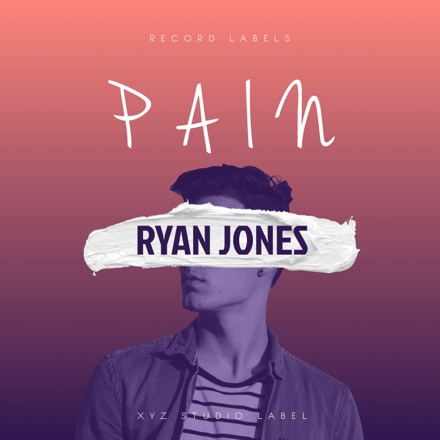
 Ghostly LoveLovely
 Pink SkyJone Art
 works
worksShare a video. Tee pulls out everything worth keeping.
It is the same share sheet you already use in TikTok, Instagram and YouTube Shorts. You never paste a link or tag anything.
A name only has to appear somewhere. It rarely has to be spoken, so the films, songs, books and places come back named.
Tee pings you the moment your video is done, and everything it found is already filed with a poster, a rating or an address.
A name gets said mid sentence, or flashes on screen for a second. Tee catches it and checks it against a real catalogue before it keeps it, so what lands on your shelf is something you can actually open.
@streetfoodieSicily street food tour: where to eat in TaorminaA title card, burned into the video: TAORMINA · SICILY
TaorminaSicily, Italy · ★ 4.8Google Places“…honestly the pasta alla Norma at Osteria Nero d'Avola is the best I've had anywhere…”
Osteria Nero d'AvolaTaormina · Sicilian · ★ 4.6Google Places“…and yes, the song is Ghostly Love, everyone asks…”
Ghostly LoveLovely · 2024SpotifyYou never file anything. Each find lands on the right shelf already carrying the poster, the preview or the address you need to do something about it.
It arrives with the poster, year, genre and rating, so you know which one the video meant.
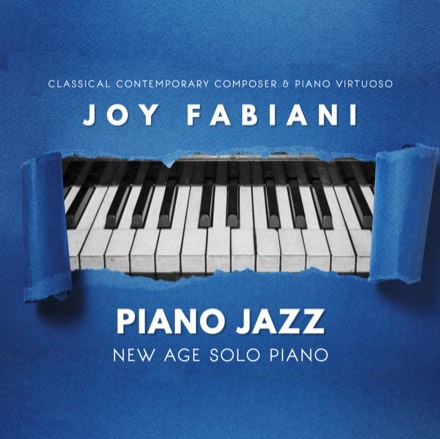
Artwork, artist and a preview you can play without leaving the shelf.
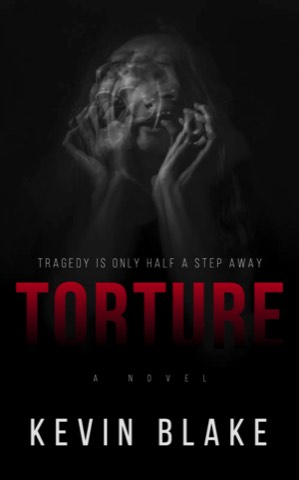
Cover, author and the blurb, so a title said out loud becomes a book you can find.
The real address and rating. A restaurant you heard named is one tap from directions.
The cuisine, the time it takes and the ingredients, pulled out of the narration.
Tee builds this one itself, out of the places on the other shelves. See below.
When places start piling up in the same city, Tee stops treating them as six loose finds and groups them into a trip. Every stop lands on one map, in the order you would actually walk them.
 three separate videos, weeks apartSicilyItaly · Messina
Taormina Old Town
Corso Umberto
Osteria Nero d'Avola
Every find opens straight into the app you would have gone to anyway. You never copy a title into a search box or type an address into Maps.
Tee does not stream, sell or host any of it. It knows what the thing is and where it lives, then hands you to the app you already use.
Tee keeps what it found: the titles, the covers, the addresses. It does not keep the video.
The service that watches the video holds nothing at all: it reads the clip, hands back what it found, and forgets it.
That is the normal case. Tee also reads the text on screen and the caption, so a name only has to appear somewhere. It rarely has to be spoken.
Yes, and it is the best way to try it. If you can still open the video and hit share, Tee can read it. Pick something from months ago and see what comes back. Videos are capped at three minutes.
Hide it or delete it from the shelf and it is gone. Checking every name against a real catalogue stops most of the near misses, but if a video mumbles a title, Tee can mishear it too.
Eleven, including English, French, German, Spanish, Italian, Dutch, Portuguese and Polish. The summary comes back in the language the video was spoken in, not translated into yours.
No. Share it and carry on scrolling. Tee works in the background and pings you when it is done.
Two videos a day are free, and no card is needed. You do need an account: it takes a few seconds with Apple or Google, and the same account works across your devices. Tee Pro removes the daily limit at $6.99 a month or $59.99 a year, and starts with a free trial of 7 days on monthly or 14 on yearly. Prices shown are US; your own store sets the local equivalent. Our fair-use policy says exactly where the Pro limit sits.
Pick one from months ago, send it to Tee, and see what was in it. Your first two videos a day are free.
iPhone, iOS 18 and later.